What you are buying

One platform, from free to full automation: see every spread, trade it in one click, or let the engine trade it for you. Here is exactly what each tier does — feature by feature.

Tier 0

Free

See the market before you pay anything.

$0 / forever
just sign in

Sign in and look around — the free tier is a working slice of the platform, not a time-limited trial.

The live spreads table — core exchanges

A free account streams the same live table with the major exchanges: Binance, Bybit, OKX and Gate, plus MEXC, Bitget and Aster once you sign in. History is capped at the last hours and funding shows only the recent payouts — enough to watch how spreads move. The full exchange list, the DEX routes, coin search and deep history unlock with the paid plans below.
The live spreads table — core exchanges

Demo trading — the whole terminal on a practice balance

The trading panel, orderbooks and positions all run in demo on every free account: practice balances, fills simulated against the real orderbooks with real fee math. Open hedged pairs, close them, watch the PnL — no exchange account, no API keys.

Demo trading — the whole terminal on a practice balance
Tier 1

Data

See the whole market — every spread, every exchange, live.

$20 / month
less with 3 / 6 / 12-month prepay

For traders who hunt opportunities themselves: the complete real-time picture with nothing hidden, plus the alerts group so the market comes to you.

The full spreads table

One table with every coin that trades on two or more of the markets we track. Long+Short (futures vs futures), Spot+Short (buy spot, short futures) and Long+Spot (long futures, sell spot), ranked by price spread and by funding rate for carry trades. Plus the DEX routes: DEX + Short and DEX + Spot put a token's price on Solana, BSC, Ethereum and Base DEXes against the exchanges. Live data, updated every few seconds.

The full spreads table

Coin search

Type a ticker and see every pair for that coin across all exchanges, on every tab.

Coin search

30-day spread history

Up to 30 days of spread history on every pair chart. Scroll back and analyse how the token behaved before — how often the spread opened, how wide it got and how fast it closed.

30-day spread history

90-day funding history

Up to 90 days of funding history, side by side across exchanges. Before you carry a position for funding, check how stable the rate actually is: does it hold its level across settlements, how often it flips, and what the real APR was over the period.

90-day funding history

1000PEPE and PEPE as one coin

One exchange lists 1000PEPE, another lists plain PEPE — same coin, prices 1000x apart. Arbiline knows they are the same coin and lines the prices up, so the spread you see is the real one and the size that goes to each exchange is right. On a fresh listing with an unusual multiplier you can set it yourself, per side.

1000PEPE and PEPE as one coin

The private Telegram alerts group

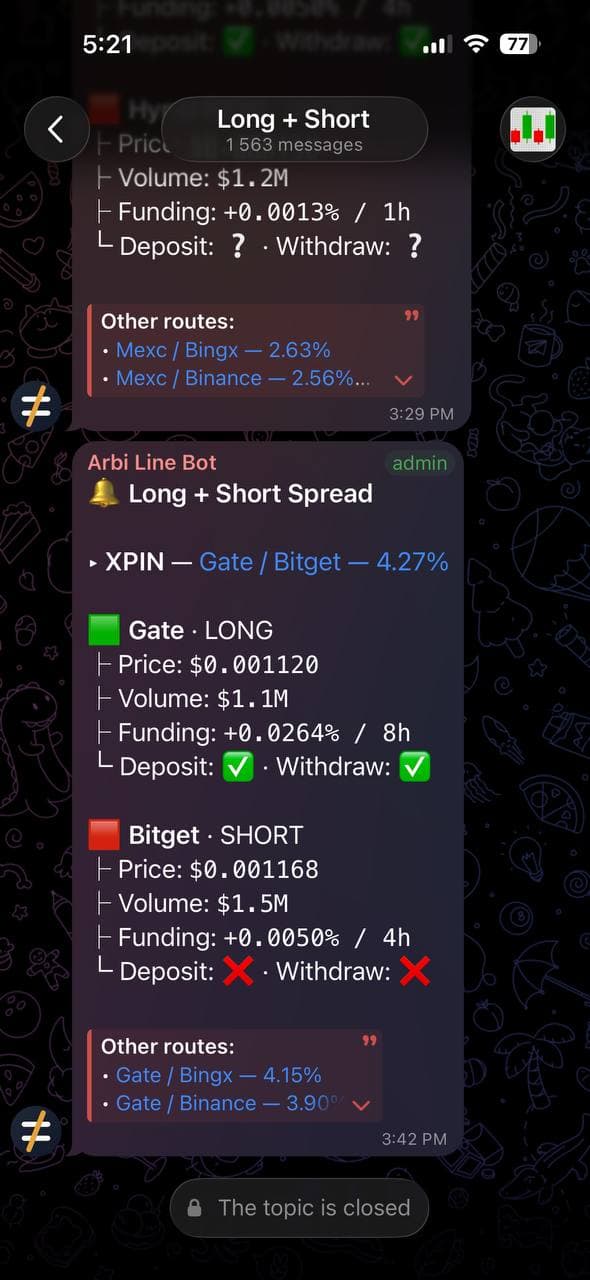
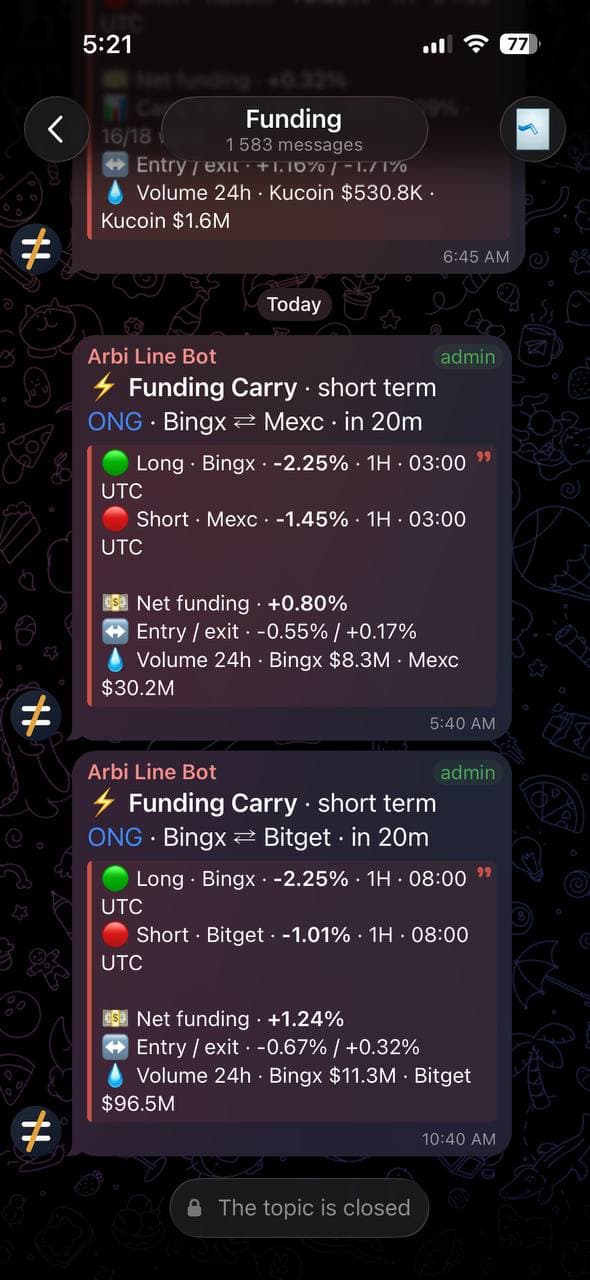
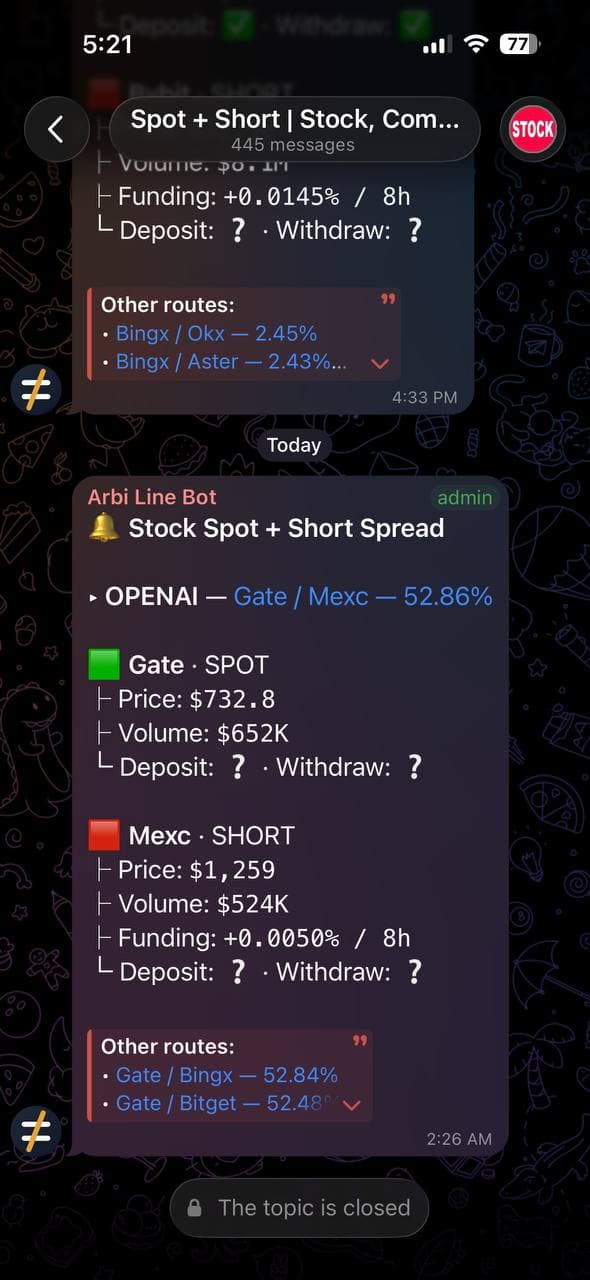
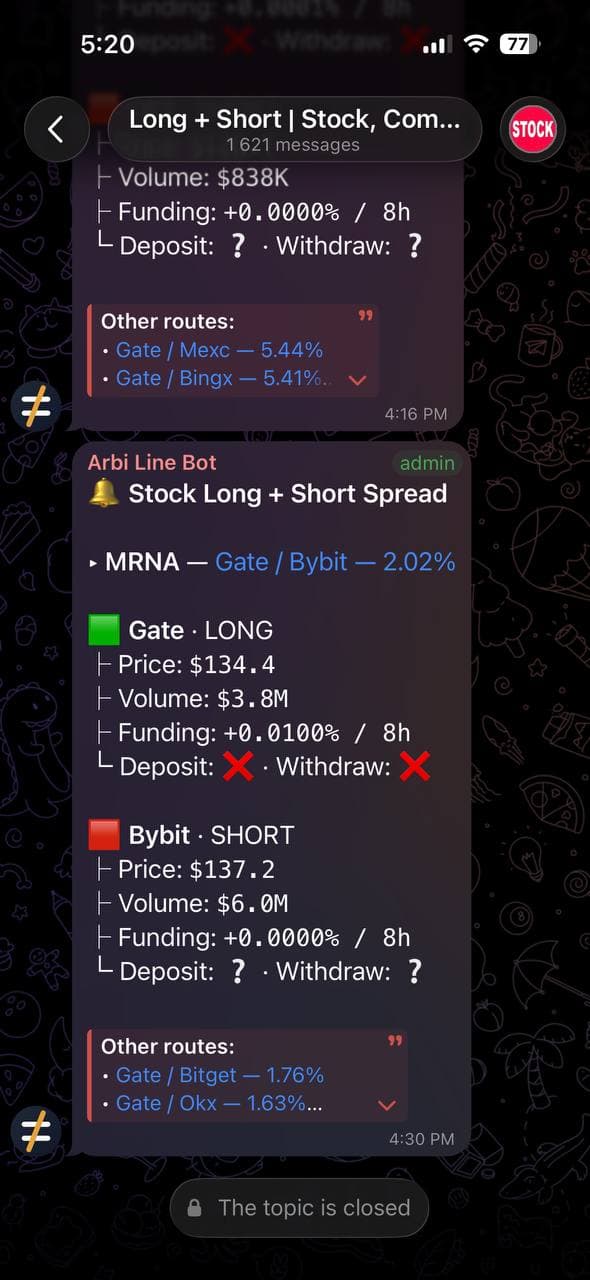
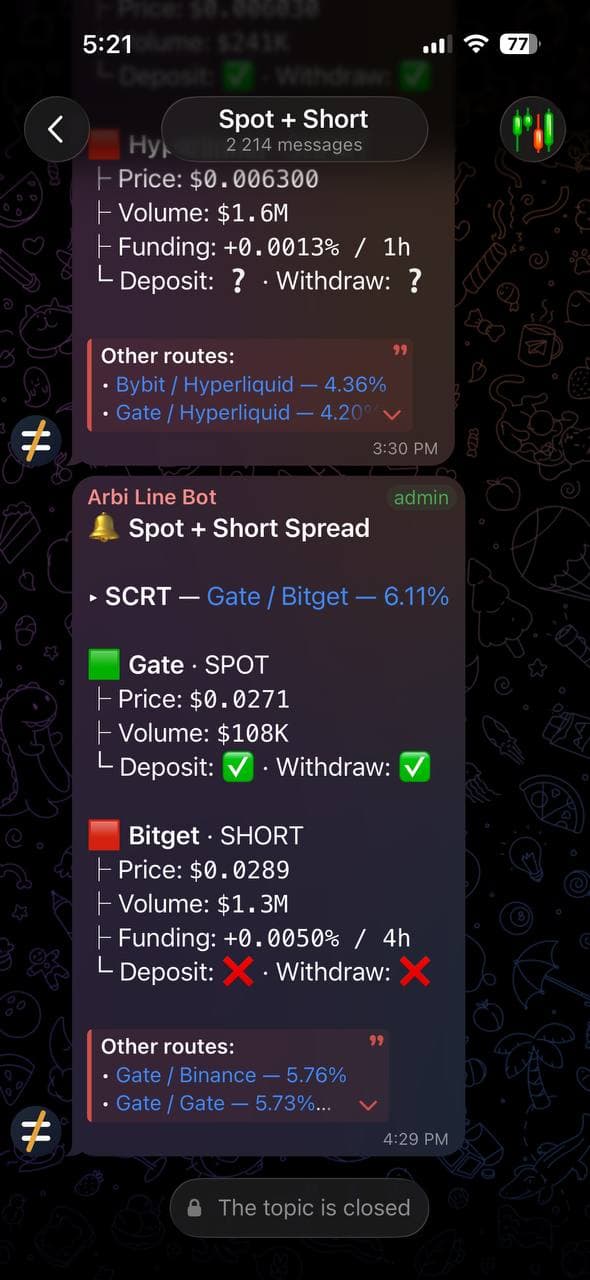
The market comes to you: every opportunity lands in a members-only Telegram group with the whole picture in one message — the coin, both exchanges, the spread, volume and funding on each leg, deposit and withdraw status, and the next best routes for the same coin. Separate threads for Long+Short, Spot+Short, funding and the DEX routes, so you follow only the strategy you trade.

The private Telegram alerts group — screenshot 1The private Telegram alerts group — screenshot 2The private Telegram alerts group — screenshot 3The private Telegram alerts group — screenshot 4The private Telegram alerts group — screenshot 5
The private Telegram alerts group
  • Demo trading included (free on every account) — practise before you subscribe to the Trader plan
Tier 2

Trader

See a spread, take it — one click, both sides, covered.

$100 / month
less with 3 / 6 / 12-month prepay

For traders who trade it themselves: enter the spread you are looking at without switching between exchange tabs, track every position with PnL that already counts fees and funding, and keep protection running on both sides 24/7.

Everything in Data, plus:

One-click pair trading

Every number in the panel is calculated for the trade you are actually about to make: both orderbooks are walked to your position size and your real fee tier on each exchange is applied, so the entry and exit percentages already account for depth and commission. Pick the size, set leverage per side, and one button sends both orders at once.

One-click pair trading

DEX routes from your own wallet

A DEX + Short or DEX + Spot route trades from the same page. Connect a browser wallet, buy the token through Jupiter on Solana or KyberSwap on BSC, Ethereum and Base, then hedge it on the exchange through your API keys — two buttons, you choose the order, and the hedge resizes to what the swap actually bought. Every swap is quoted for your size and signed by you in the wallet: Arbiline never sees your keys or holds your funds. Desktop only for now.

  • Phantom, Solflare, Backpack on Solana; MetaMask, Rabby and other wallets on BSC, Ethereum and Base
  • Token checks before the swap — honeypot, transfer tax, who can mint or freeze it, whether it can be sold back — they warn, the decision stays yours
  • Close Both sells the DEX side first and closes the hedge only after the sale confirms
  • Solana swaps run on your own free Jupiter API key; BSC, Ethereum and Base need no key
DEX routes from your own wallet

Positions, PnL and the journal

Every pair you open shows up in one place with the numbers that matter: the spread you actually captured, PnL with the fees from both sides already subtracted, and funding as it accrues. Each side is checked against the exchange itself, so the position you see on screen matches the one you really have.

Positions, PnL and the journal

Position alerts in your own Telegram

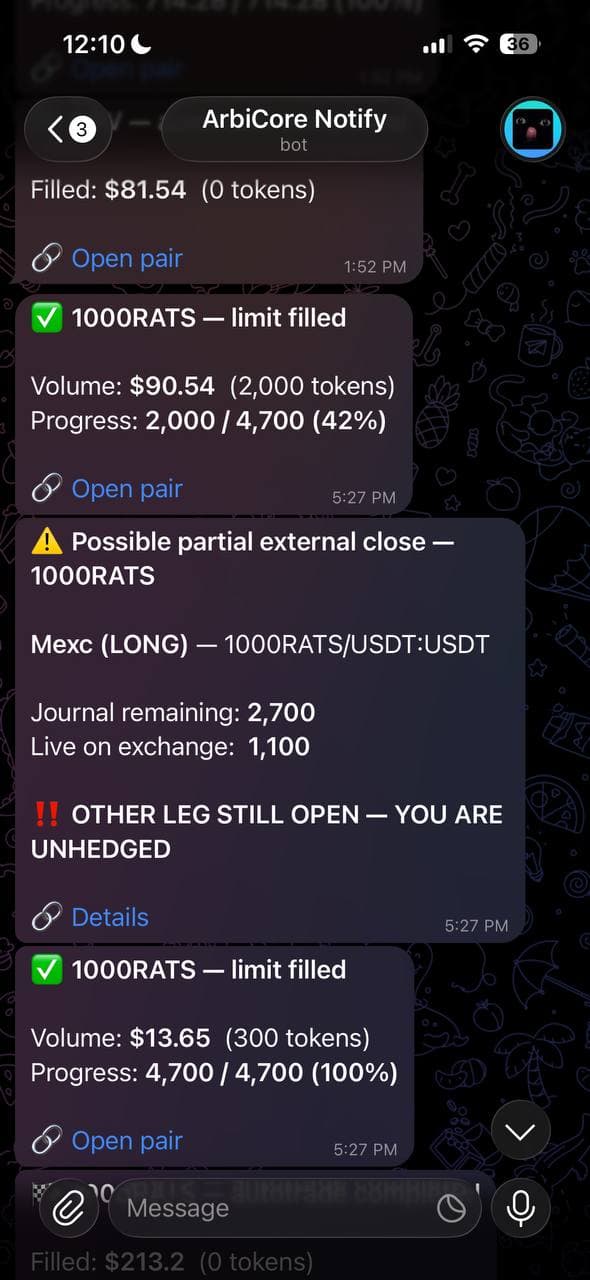
Make a bot in Telegram, paste its token into Settings once, and everything that happens to your positions lands in your private chat with that bot. It is your bot and your chat — nobody else is in it, and you can cut it off any time. Switch each alert on or off and set your own thresholds:

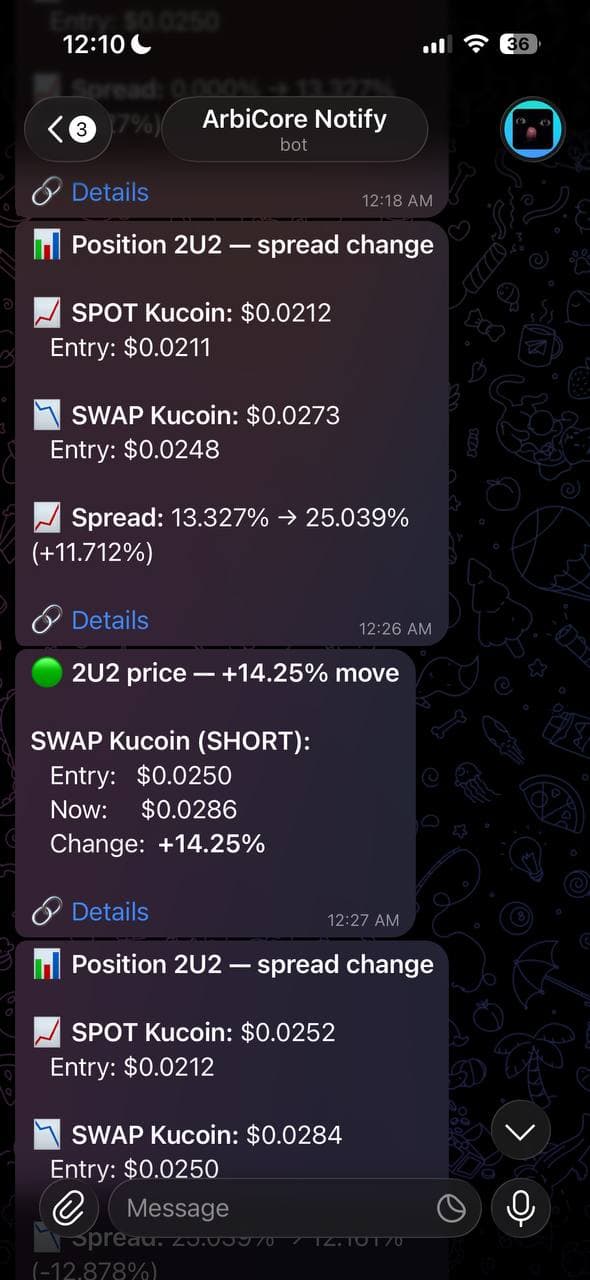
  • Price move — when a side moves by the percent you set from the last alert
  • Spread change — when the position spread widens or narrows by your percent
  • Funding interval change — when an exchange switches an open side from, say, 8h funding to 1h
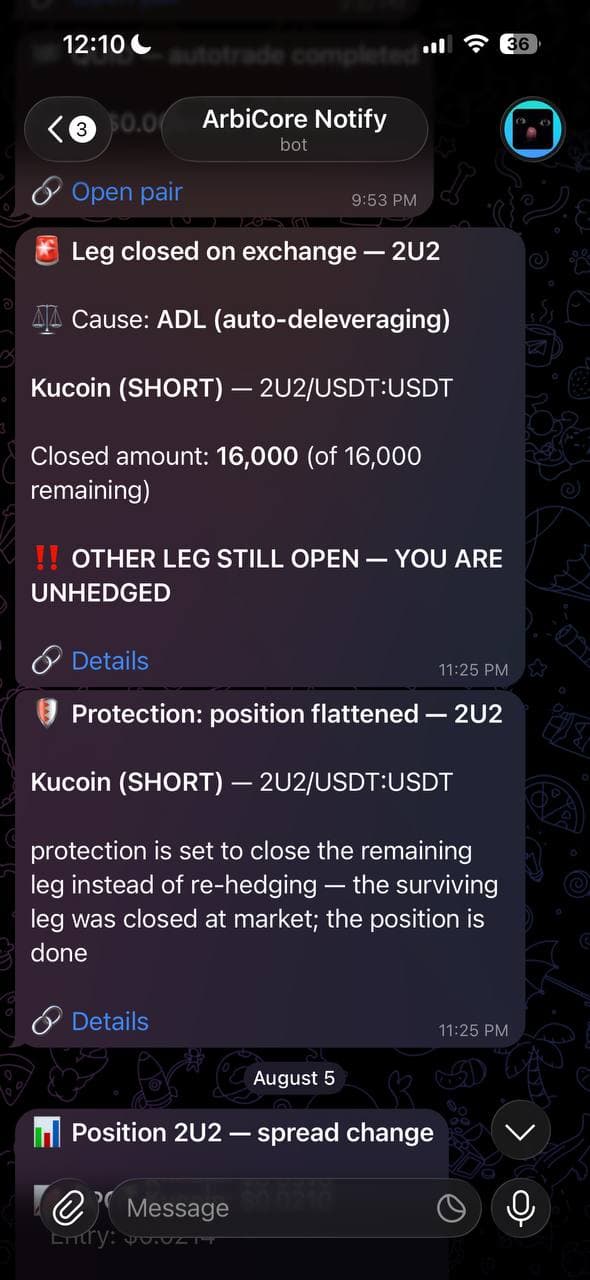
  • External close — the moment a side disappears on the exchange: liquidation, ADL or a manual close there (on by default)
  • Auto-trade — limit fills, a finished cycle, a finished run, and any failure or emergency rollback, each toggled on its own
Position alerts in your own Telegram — screenshot 1Position alerts in your own Telegram — screenshot 2Position alerts in your own Telegram — screenshot 3
Position alerts in your own Telegram

Position protection — the 24/7 guard

Losing one side without noticing is the scariest thing in arbitrage trading: a liquidation, an ADL or an accidental close on the exchange leaves you with an unhedged position, fully exposed to the price while it moves. Protection watches your open positions 24/7 on our servers — it keeps running when your browser is closed. The moment one side disappears you get an instant alert, and — if you turn it on — the remaining side is re-hedged or closed for you automatically.

  • Detects liquidations, ADL and manual closes made outside the platform
  • You choose what happens: alert only, re-hedge in place, or close the remaining side
Position protection — the 24/7 guard
Tier 3

Pro

The arbitrage bot trades while you sleep.

$150 / month
less with 3 / 6 / 12-month prepay

For traders who want automation: define the entry, let per-pair monitors watch both books 24/7 and fire the pair atomically the moment your spread confirms.

Everything in Trader, plus:

The crypto arbitrage bot

Set the spread you want and the size — the bot does the rest. It watches both books non-stop and opens the trade only when the spread is really there. Run it on the entry, on the exit, or set both targets and let auto mode cycle: it opens when your entry spread shows up and closes when the exit one does — perfect for coins where the same gap keeps coming back.

The crypto arbitrage bot
  • Priority support — your questions and incident reports jump the queue